User Guide
Welcome to the Energy Skills Intelligence Hub.
Please read the information below to assist you with using the system as efficiently as possible. Before you can access the data, you will need to Log in / Register. This is free. We need to know who is using the data so we can improve it accordingly.
Please press the person icon to register/login.

Once you have logged in, you will see a chart symbol. Clicking this will take you to the data.

Depending on your screen you may find it useful to use full screen mode. If so, please click on the double-headed arrow at the bottom right-hand corner of the viewer to expand to full screen size. Press ‘Esc’ on your keyboard to exit full screen.

The ‘i’ in these circles will give you user guidance if you hover over them.

If you want to select multiple boxes, hold down the ‘Ctrl’ button as you make your selection. Some Charts will also have a ‘Focus mode’ which will open the chart in its own view.
There is a toggle switch between UK and Scotland Skill levels. These toggles are typically found above the ‘Skills’ bar graphs. On the final two tabs, they will be found just below the ‘Skills’ bar graphs.

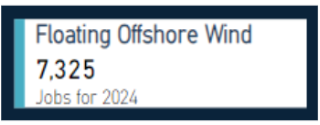
On the dashboard view you can select the energy sector using the data boxes. Again, holding ‘Ctrl’ will allow you to select more than one energy sector. Selecting a second time will deselect the sector.
All the different data views and sector focus pages can be selected across the bottom of the view.
If there are any job family groups you want clarity on, then please find them all listed on the ‘Taxonomies’ page.
Users should note that the data is driven by the information on Government and Industry planning pipeline systems. As such it only reflects the energy projects currently in planning. This means that towards 2035 some of the data may be understated due to projects that will be implemented in 2030 – 2035 not being in the planning system yet.
If you have any change suggestions or would like to offer feedback, please use the Contact button.